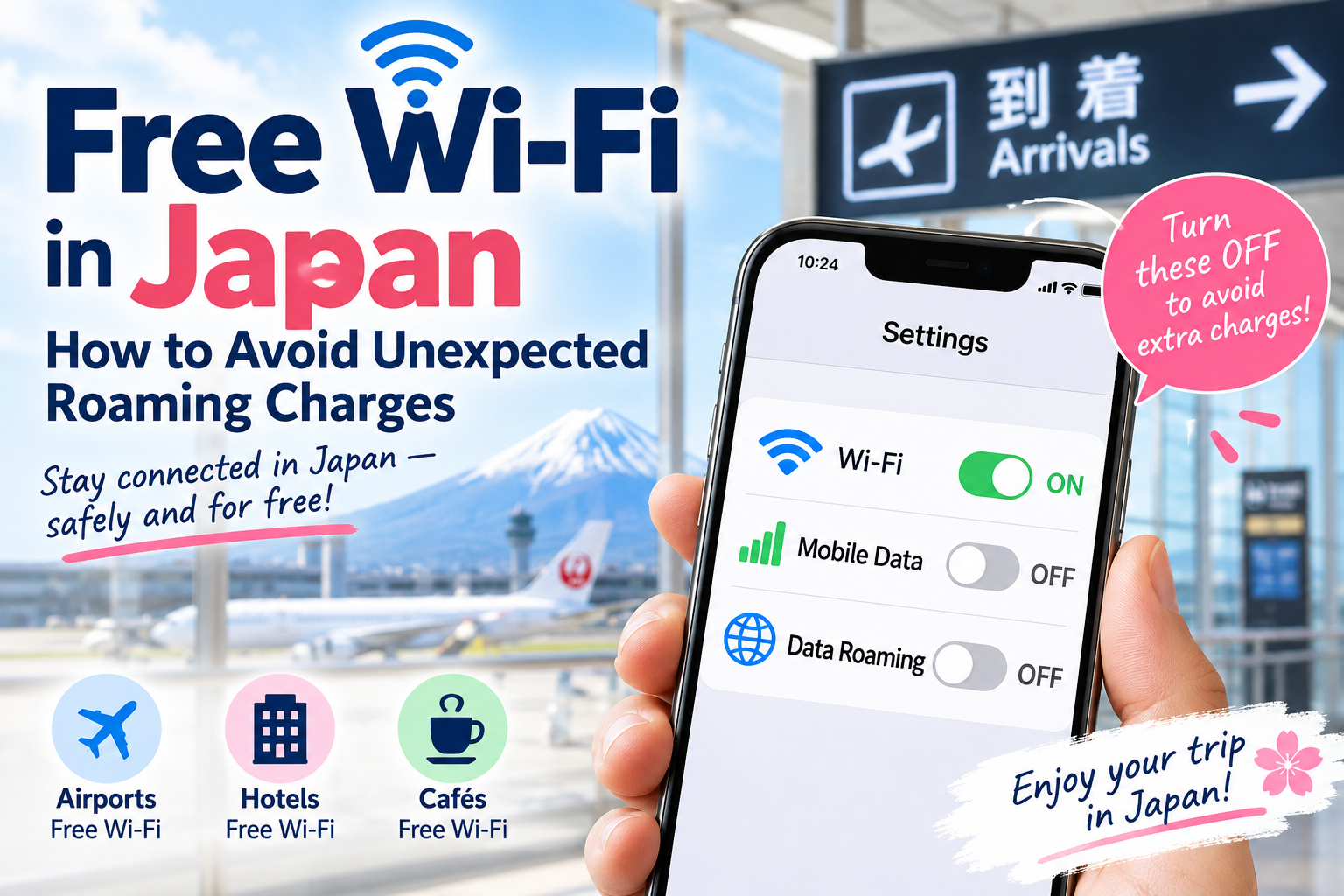
You just arrived in Japan.
You see “Free Wi-Fi” at the airport.
Great — it’s free!
But you may suddenly wonder:
“What if the Wi-Fi disconnects?”
“Will my phone automatically use international roaming?”
“Could I get a surprise phone bill later?”
Don’t worry. The important thing is to understand the difference between Wi-Fi, Mobile Data, and Data Roaming.
Here is a simple guide.
- ✅ 1. Understand These 3 Settings First
- ✅ 2. Want to Use Only Free Wi-Fi in Japan?
- ⚠️ 3. Can You Be Charged Even When Using “Free Wi-Fi”?
- ✈️ 4. What Should You Do When You Arrive in Japan?
- 📶 5. What Happens If Free Wi-Fi Disconnects?
- 🗺️ 6. Prepare Before Leaving Wi-Fi
- 🏨 7. Check Wi-Fi at Your Hotel
- 💡 8. Free Wi-Fi and Data Roaming Are Different
- 🔐 9. Be Careful With Public Wi-Fi
- 🇯🇵 10. Remember These 3 Settings
- ⚠️ Important Disclaimer
- Next: Can You Travel Japan Using Only Free Wi-Fi?
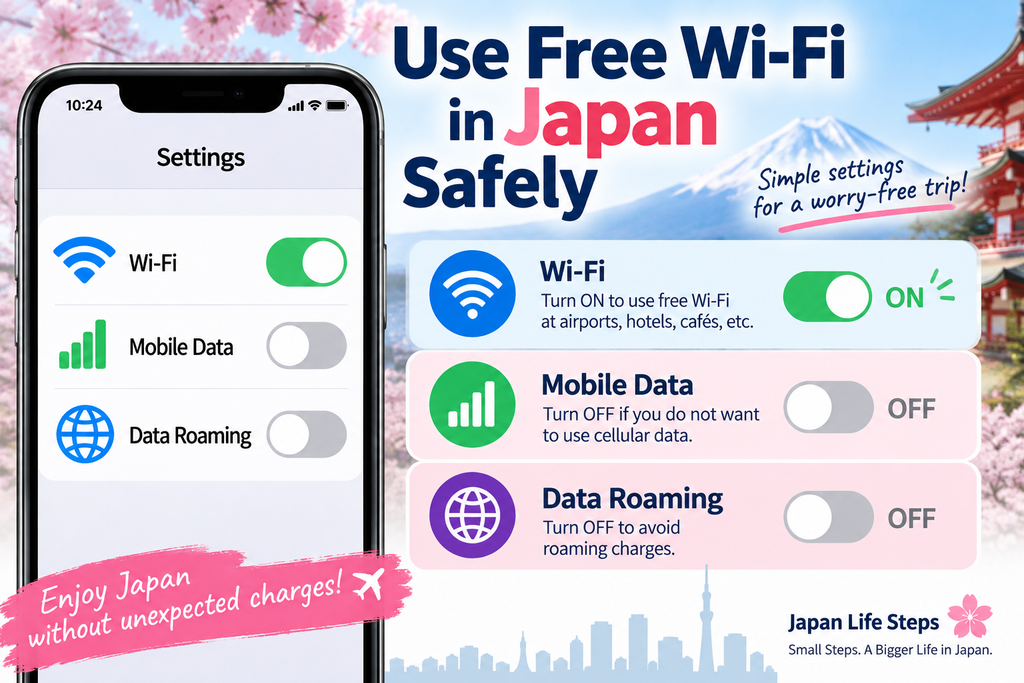
✅ 1. Understand These 3 Settings First
Your phone has three important internet settings.
📶 Wi-Fi
Wi-Fi connects your phone to the internet through a Wi-Fi network at places such as airports, hotels, cafés, and other facilities.
If you want to use free Wi-Fi:
Wi-Fi → ON 🟢
📱 Mobile Data
Mobile Data uses a cellular network to connect your phone to the internet.
If you do not want your phone to use cellular data:
Mobile Data → OFF ⚪
🌍 Data Roaming
Data Roaming allows your phone to use mobile data on another carrier’s network when roaming, including while traveling abroad.
Depending on your mobile carrier and plan, international roaming charges may apply.
If you do not want to use roaming data:
Data Roaming → OFF ⚪
✅ 2. Want to Use Only Free Wi-Fi in Japan?
If you want to avoid using cellular data and rely only on Wi-Fi, a simple setup is:
📶 Wi-Fi → ON 🟢
📱 Mobile Data → OFF ⚪
🌍 Data Roaming → OFF ⚪
You can still connect to Wi-Fi while Mobile Data and Data Roaming are turned off.
⚠️ 3. Can You Be Charged Even When Using “Free Wi-Fi”?
The official free Wi-Fi service itself may be free, but that does not necessarily mean all internet activity on your phone is free.
For example:
You connect to free Wi-Fi
↓
The Wi-Fi signal becomes weak
↓
Your Wi-Fi connection drops
↓
Your phone may use cellular data
If your phone uses international roaming data, your mobile carrier may charge you depending on your plan.
That is why it is important to check your phone settings.
✈️ 4. What Should You Do When You Arrive in Japan?
Before connecting to airport Wi-Fi, check these settings:
1. Turn Mobile Data OFF
2. Turn Data Roaming OFF
3. Turn Wi-Fi ON
Then look for the official Wi-Fi network provided by the airport.
Do not connect to a network just because its name looks like the airport’s Wi-Fi.
Check the airport’s official website or signs inside the terminal to confirm the correct network name.
📶 5. What Happens If Free Wi-Fi Disconnects?
If Mobile Data is turned off, your phone normally will not use cellular data when the Wi-Fi connection is lost.
Instead, you may temporarily lose your internet connection.
If your goal is to avoid cellular data usage, this is safer than allowing your phone to switch to mobile data without you noticing.
Simply find another trusted Wi-Fi network and reconnect.
🗺️ 6. Prepare Before Leaving Wi-Fi
If you plan to travel around Japan using mainly free Wi-Fi, prepare while you still have an internet connection.
For example:
- Download an offline map of the area you need.
- Take screenshots of train routes.
- Save your hotel name and address.
- Save your reservation information.
- Download any translation resources you may need.
This can make traveling much easier when Wi-Fi is unavailable.
🏨 7. Check Wi-Fi at Your Hotel
Many hotels and other accommodations in Japan provide Wi-Fi, but availability, conditions, and charges can vary.
When you arrive, check:
Is Wi-Fi free?
What is the Wi-Fi network name?
Do I need a password?
Use the network information provided by the hotel.
💡 8. Free Wi-Fi and Data Roaming Are Different
Some hotels, lounges, transportation services, or other facilities may offer paid Wi-Fi instead of free Wi-Fi.
If payment is required, the price and conditions should be shown before you connect or complete registration.
Always check whether the Wi-Fi is free before entering payment information.
Paid Wi-Fi charges and mobile roaming charges are separate. Even if you pay for Wi-Fi, your phone may still use cellular data if the Wi-Fi connection drops.
This is the most important point.
📶 Free Wi-Fi
This refers to the Wi-Fi service provided by the airport, hotel, café, station, or other facility.
🌍 Data Roaming
This refers to mobile data used while roaming on another carrier’s network, according to your mobile carrier and plan.
They are not the same thing.
Seeing “Free Wi-Fi” does not mean that any cellular data your phone uses is also free.
🔐 9. Be Careful With Public Wi-Fi
Free public Wi-Fi is convenient, but use it carefully.
Whenever possible, use the official Wi-Fi network provided by the airport, hotel, station, or other facility.
Be cautious with unfamiliar networks that have similar-looking names.
Avoid entering sensitive information when you are unsure whether a Wi-Fi network is legitimate.
🇯🇵 10. Remember These 3 Settings
If your goal is to use Wi-Fi while preventing your phone from using cellular data, remember:
📶 Wi-Fi → ON
📱 Mobile Data → OFF
🌍 Data Roaming → OFF
Simple.
This setup helps prevent your phone from using cellular data while you use Wi-Fi in Japan.
⚠️ Important Disclaimer
Mobile phone settings, roaming behavior, Wi-Fi behavior, and charges vary depending on your device, operating system, mobile carrier, SIM/eSIM, and mobile plan.
Turning off Mobile Data and Data Roaming can help prevent cellular data use, but this article cannot guarantee that you will never incur any charges.
Calls, SMS messages, carrier services, or other network activity may be charged separately depending on your plan.
Before traveling, check your mobile carrier’s international roaming terms and your device settings.
This article is for general informational purposes only and is not a substitute for information provided by your mobile carrier or device manufacturer.
Next: Can You Travel Japan Using Only Free Wi-Fi?
Japan has free Wi-Fi at many airports, hotels, cafés, stations, and other locations.
But can you really travel around Japan without buying mobile data at all?
We’ll explain how to do it — and where you may run into problems — in the next guide.

コメント