You’ve just arrived in Japan, but the airport Wi-Fi won’t connect.
Don’t worry. Free Wi-Fi at airports sometimes needs a few extra steps before it starts working.
Try these simple fixes before giving up.
- 1. Turn Wi-Fi Off and On Again
- 2. Make Sure You Selected the Correct Airport Wi-Fi
- 3. Open Your Browser
- 4. Forget the Network and Connect Again
- 5. Temporarily Disconnect Your VPN
- 6. Move to Another Area of the Airport
- 7. Ask the Airport Information Counter
- Before You Leave the Airport
- Need Help Connecting at a Japanese Airport?
- Information Note and Disclaimer
1. Turn Wi-Fi Off and On Again
Start with the simplest solution.
Turn Wi-Fi off on your phone, wait a few seconds, and turn it back on.
Then check the available Wi-Fi networks again.
2. Make Sure You Selected the Correct Airport Wi-Fi
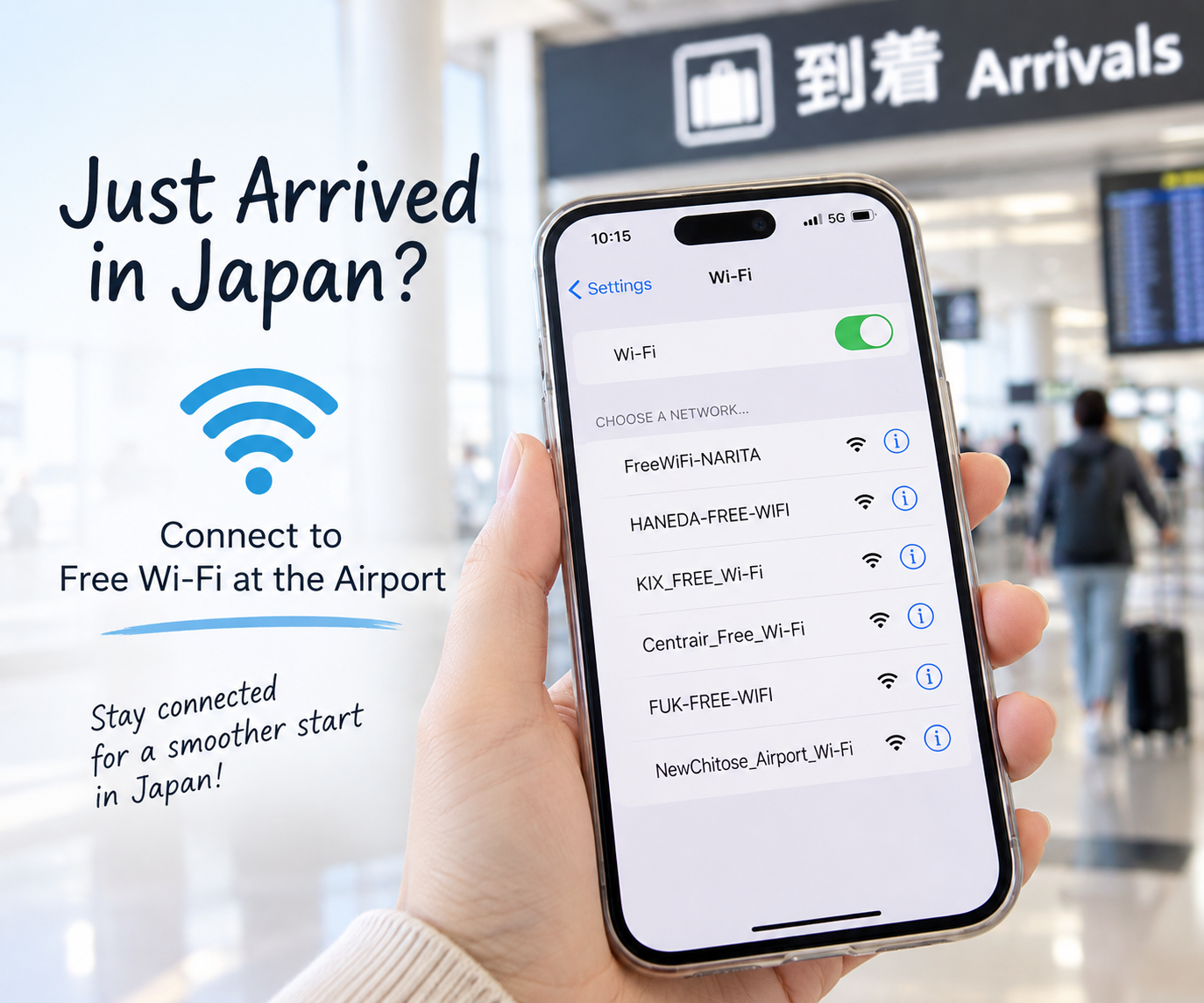
Large airports may show several Wi-Fi networks.
Make sure you are connecting to the official free Wi-Fi network provided by the airport.
If you are not sure which network to choose, check the airport signs or ask at an information counter.
Avoid connecting to unknown Wi-Fi networks simply because they have names such as “Free Wi-Fi.”
3. Open Your Browser
Sometimes your phone says it is connected to Wi-Fi, but the internet still doesn’t work.
Open Safari, Chrome, or another web browser.
The airport Wi-Fi login or agreement page may appear automatically.
Follow the instructions on the screen to complete the connection.
4. Forget the Network and Connect Again
Still not working?
Open the Wi-Fi settings on your phone and select the airport network.
Choose Forget This Network, then connect to it again.
You may need to accept the airport’s terms of use again.
5. Temporarily Disconnect Your VPN
If you use a VPN, it may sometimes interfere with the Wi-Fi login page.
Try temporarily disconnecting the VPN and reconnecting to the airport Wi-Fi.
After you have internet access, you can turn your VPN back on if you normally use one.
6. Move to Another Area of the Airport
Wi-Fi signal strength can vary depending on where you are in the terminal.
Try moving closer to an information counter, waiting area, arrival lobby, or an area displaying a free Wi-Fi sign.
Then try connecting again.
7. Ask the Airport Information Counter
If nothing works, don’t spend too much time struggling with your phone.
Go to an airport information counter and say:
“I can’t connect to the free Wi-Fi. Can you help me?”
Airport staff may be able to tell you the correct Wi-Fi network or show you the connection instructions.
Before You Leave the Airport
Once you are connected, use the opportunity to prepare for your journey.
Before leaving the airport, you may want to:
- Check your route on Google Maps
- Save your hotel address
- Take screenshots of important directions
- Download useful information
- Set up an eSIM, SIM card, or another internet option if needed
Remember that airport Wi-Fi may no longer be available once you leave the airport.
Having internet access after leaving the airport makes it much easier to use maps, check train routes, and translate Japanese.
Need Help Connecting at a Japanese Airport?
If you haven’t tried connecting yet, read our guide:
Free Wi-Fi in Japan Airports: What to Do After You Arrive
It explains the basics of using free Wi-Fi at major airports in Japan.
Information Note and Disclaimer
Information based on available sources as of October 2026.
Airport Wi-Fi network names, connection procedures, coverage areas, availability, and security settings may change without prior notice.
Wi-Fi services may be temporarily unavailable due to maintenance, network congestion, technical problems, or changes made by the airport or service provider.
The troubleshooting steps in this article may not work with every smartphone, operating system, or airport Wi-Fi network.
International roaming and mobile data charges depend on your mobile carrier and contract. Using public Wi-Fi does not automatically prevent mobile data charges.
For your security, always verify the official network name before connecting.
Check the latest information on the airport’s official website and confirm mobile data charges with your carrier before traveling.
Japan Life Steps is an independent information website and does not operate or guarantee airport Wi-Fi services.

コメント