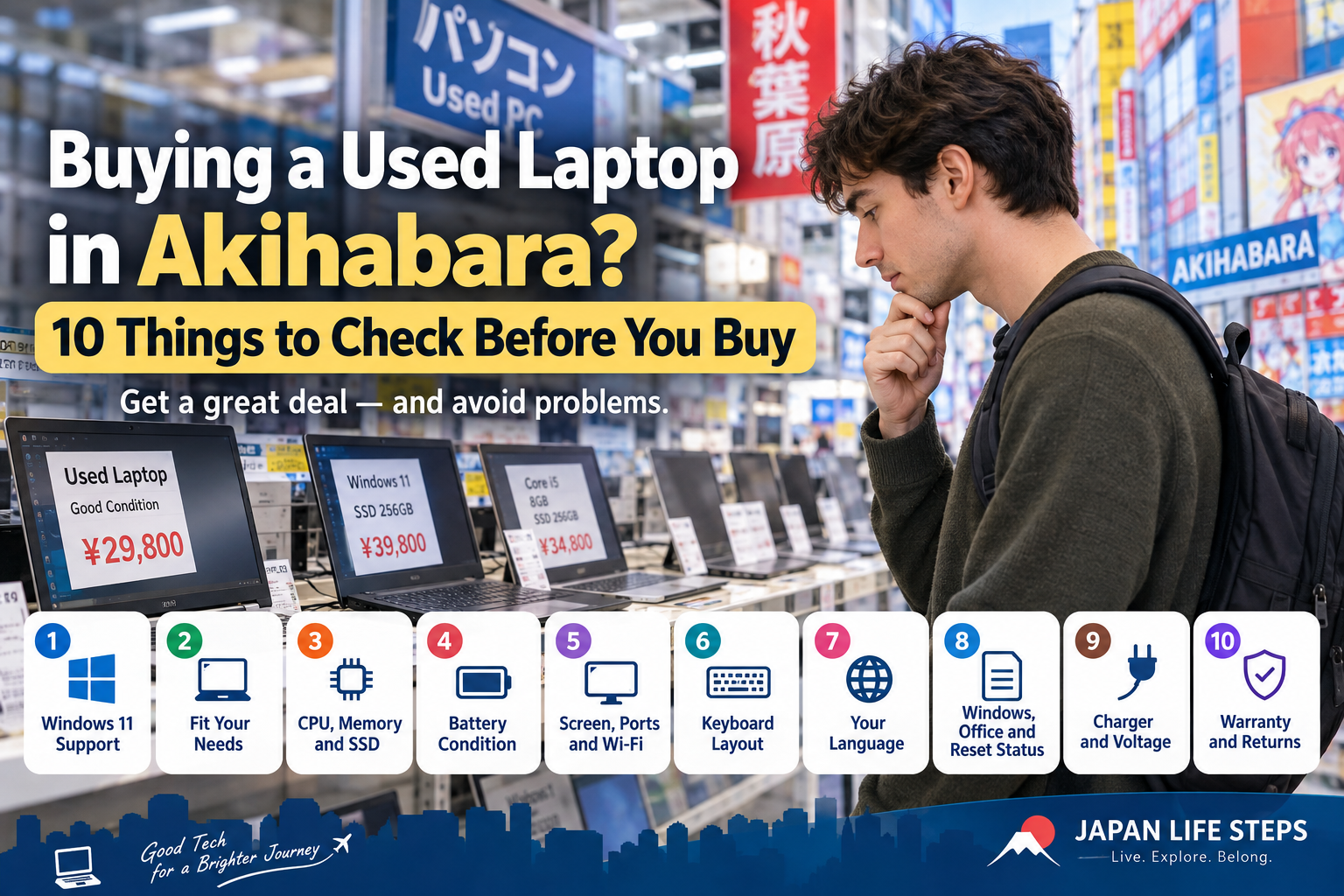
Found a cheap used laptop in Japan?
Akihabara is one of the best-known places to shop for used electronics in Tokyo, but these checks apply wherever you buy a used laptop in Japan.
Wait a moment.
Here are 10 things to check before you buy.
- 1. Check Whether It Officially Supports Windows 11
- 2. Make Sure the Laptop Fits How You Use It
- 3. Check the CPU, Memory and SSD
- 4. Check the Battery Condition
- 5. Check the Screen, Ports, Wi-Fi and Other Functions
- 6. Check the Keyboard Layout
- 7. Check Whether You Can Use Windows in Your Language
- 8. Check Windows, Office and the Reset Status
- 9. Check the Charger and Voltage
- 10. Check the Warranty and Return Policy
- Before You Decide
- Related Guides
- Disclaimer
1. Check Whether It Officially Supports Windows 11
Some older used laptops do not officially support Windows 11.
Regular support for Windows 10 ended on October 14, 2025.
So before buying an older laptop, ask:
“Does this model officially support Windows 11?”
Be careful: a laptop may already have Windows 11 installed even if the model does not officially meet Microsoft’s requirements.
You do not need to understand all the technical details.
If you are unsure, simply ask the store whether the laptop officially supports Windows 11.
Microsoft — Windows 10 Support Has Ended
2. Make Sure the Laptop Fits How You Use It
Before looking at specifications, think about one thing:
“What do I want to do with this laptop?”
For example:
- use ChatGPT
- use Microsoft Copilot
- use Word or Excel
- join Zoom or Teams meetings
- watch YouTube or Netflix
- edit photos
- edit videos
- play games
- do programming
Different activities need different levels of performance.
If you mainly use ChatGPT or Copilot in a web browser, browse the internet, or use Word and Excel, you may not need the newest or most powerful laptop.
But video editing, gaming and heavier software may need more performance.
Before buying, ask yourself:
“Can this laptop comfortably do what I need it to do?”
If you are not sure, tell the store what you plan to use the laptop for.
3. Check the CPU, Memory and SSD
Once you know how you will use the laptop, check its basic specifications.
Look at:
- CPU
- memory (RAM)
- SSD storage
A laptop used mainly for browsing the web does not need the same performance as one used for video editing.
Also check the SSD capacity.
If you store many photos, videos or large files, a small SSD may fill up quickly.
The important question is not simply whether the numbers are high.
Make sure the specifications are suitable for what you want to do.
4. Check the Battery Condition
Battery condition is easy to overlook when buying a used laptop.
A laptop may look almost new but have a heavily worn battery.
Try to check:
- the battery condition
- how long it can run on a charge
- whether the battery can be replaced
- whether the battery is covered by the store warranty
Laptops in stores may be connected to a charger, so poor battery performance can be difficult to notice.
A cheap laptop may become less of a bargain if you need to replace the battery soon after buying it.
5. Check the Screen, Ports, Wi-Fi and Other Functions
Because the laptop is used, check its actual condition if possible.
Look at:
- screen condition
- keyboard
- touchpad
- USB ports
- USB-C ports
- HDMI
- webcam
- microphone
- speakers
- Wi-Fi
- Bluetooth
If you use Zoom or Teams, the webcam and microphone may be especially important.
If you connect an external monitor, check whether the laptop has the video output you need.
Also remember:
Having a USB-C port does not always mean the laptop can charge or output video through USB-C.
Check the model’s specifications if a particular feature is important to you.
6. Check the Keyboard Layout
Many laptops sold in Japan use a Japanese JIS keyboard.
You can type English normally, and the A–Z letters are in the familiar QWERTY layout.
However, some symbols are in different positions, including:
- @
- “
- :
- [ ]
- other punctuation marks
The Enter key and space bar may also look different from those on a US keyboard.
If you normally use a US keyboard, check the actual keyboard before buying.
The important question is:
“Am I comfortable using this keyboard layout?”
7. Check Whether You Can Use Windows in Your Language
A Windows laptop bought in Japan can often be changed to English or another display language.
However, some Windows editions support only one display language.
For example:
Windows 11 Home Single Language
does not allow additional Windows display languages to be installed.
If you do not want to use Windows in Japanese, check the Windows edition before buying.
Microsoft — Check Whether Your Version of Windows Supports Multiple Languages
Changing the Windows display language does not change the physical Japanese keyboard layout.
8. Check Windows, Office and the Reset Status
Used laptops may be advertised with phrases such as:
“Windows 11 included”
or
“Office included.”
Check exactly what is included.
For Office, ask whether it is:
- Microsoft 365
- a permanent Microsoft Office license
- an Office-compatible program
- software you will actually be able to continue using after purchase
Do not assume that every laptop marked “Office included” comes with the same software or license.
Some used laptops were previously used by companies or schools.
They are normally reset before resale, but it is still worth asking:
“Has this laptop been completely reset for personal use?”
9. Check the Charger and Voltage
Make sure the laptop includes a charger.
If you plan to take the laptop outside Japan, also check the input voltage written on the AC adapter.
For example:
INPUT: 100–240V
usually means the adapter can work with a wide range of voltages.
However, the plug shape may be different in your country, so you may still need a plug adapter.
Also check:
- whether the charger is included
- whether it is the correct charger
- whether it is an original charger
- whether the laptop supports USB-C charging
10. Check the Warranty and Return Policy
Finally, check the warranty.
Warranty conditions for used laptops vary by store and by product.
Before buying, ask about:
- warranty period
- what happens if the laptop is defective
- return conditions
- refund or replacement policies
- whether the battery is covered
- what happens if the laptop breaks after you leave Japan
This is especially important if you are visiting Japan and will return home soon.
Some warranties may require you to bring the laptop back to a store in Japan.
Before You Decide
A cheap used laptop can be a good option, but price is only one part of the decision.
You do not have to avoid a laptop simply because it is used.
Check whether it fits your needs, whether you are satisfied with its condition, and whether the warranty works for you.
Do not choose only because it is cheap. Choose a laptop that works for the way you plan to use it.
Related Guides
- Buying Apple Products in Akihabara? 9 Things to Check
- Lost at Akihabara Station? Electric Town or Yodobashi — Which Exit?
- Can You Change a Japanese Laptop Keyboard to a US Layout?
Disclaimer
Prices, condition, specifications, operating systems, software, accessories, warranties and return policies vary by product and store.
Windows support and system requirements may also change.
Before buying, check the actual product, manufacturer information, Microsoft information, and the store’s current warranty and return conditions.