Akihabara is one of Tokyo’s best-known electronics districts, and it can be a useful place to compare Apple products.
You can find new devices at large electronics stores and used iPhones, iPads and Macs at second-hand shops.
But are Apple products always cheaper in Akihabara?
Not necessarily.
The biggest savings may come from used devices, older models, outlet items or store promotions.
If you are planning to take the device outside Japan, price is only one thing to check.
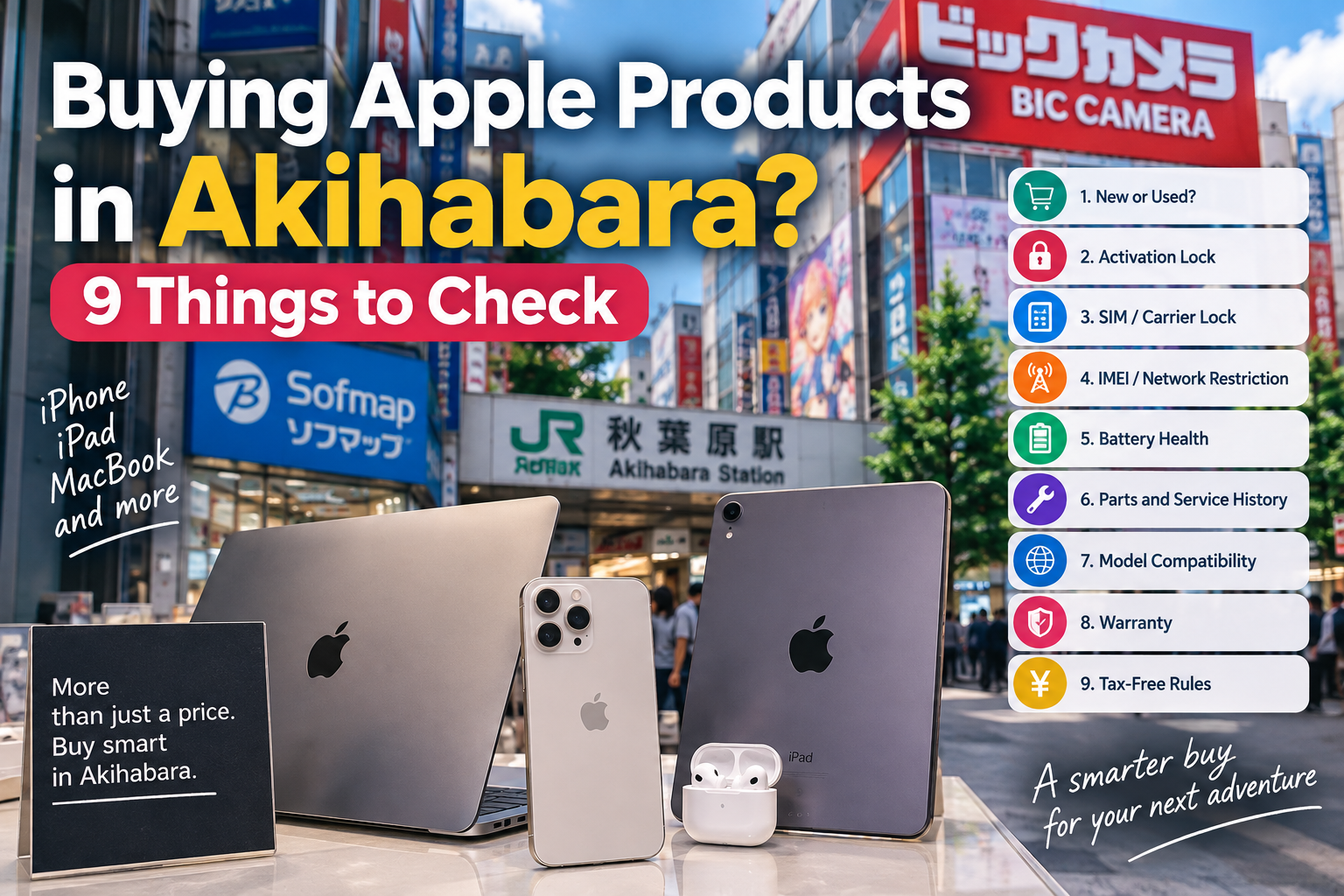
Here are nine important things to look at before you buy.
- 1. Check Whether It Is New or Used
- 2. Never Buy a Used iPhone With Activation Lock
- 3. Check the SIM or Carrier Lock
- 4. Check the IMEI and Network Restriction Status
- 5. Check Battery Health
- 6. Check Parts and Service History
- 7. Check the Exact Model Before Using It Overseas
- 8. Check the Warranty and Return Policy
- 9. Check the Tax-Free Rules
- Buying a MacBook? Check the Keyboard
- Common Problems to Avoid
- “The iPhone is still linked to someone else.”
- “My SIM does not work.”
- “The phone became network-restricted in Japan.”
- “The battery runs out very quickly.”
- “I discovered that parts had been replaced.”
- “The phone works in Japan but not perfectly at home.”
- “I expected Apple to repair it in my country.”
- “I thought the price was automatically tax-free.”
- So, Are Apple Products Cheaper in Akihabara?
- Related Guides
- Disclaimer
1. Check Whether It Is New or Used
First, make sure you know exactly what you are buying.
A device may be:
- brand new
- used
- refurbished
- an outlet item
- an older model
For example, Bic Camera AKIBA has an Apple Shop, while Sofmap AKIBA Station Front Store sells used iPhones, iPads and Macs.
Used devices can offer good value, but condition matters.
Before buying a pre-owned iPhone, Apple recommends checking the seller’s return policy, physical condition, battery health and repair history.
Apple Support — If You Want to Buy a Preowned iPhone
2. Never Buy a Used iPhone With Activation Lock
This is one of the most important checks.
A used iPhone or iPad may still be linked to the previous owner’s Apple Account.
If you see:
“iPhone Locked to Owner”
do not buy the device.
Apple says a used device should be erased and removed from the previous owner’s account before you take ownership.
If the previous owner’s Apple Account information is requested during setup, the device is still linked to that person.
Apple Support — Activation Lock for iPhone and iPad
3. Check the SIM or Carrier Lock
If you are buying a used iPhone, especially an older model, check whether it is locked to a mobile carrier.
On the iPhone, go to:
Settings → General → About
Look for Carrier Lock.
If it says:
No SIM restrictions
the iPhone is unlocked.
If a carrier is shown instead, the phone may only work with that carrier until it is properly unlocked.
This is particularly important if you plan to use the phone outside Japan.
4. Check the IMEI and Network Restriction Status
Japan has another issue that buyers of used phones should know about:
network usage restrictions.
Japanese mobile carriers may restrict devices connected with issues such as fraudulent acquisition or unpaid device payments.
The phone’s IMEI is its unique identification number.
Before buying a used iPhone, ask the store whether the device has any network usage restrictions.
You can also check the IMEI with the relevant Japanese carrier.
Official information:
You may also want to ask the store:
Does this phone have a guarantee if it later becomes network-restricted?
In Japan, a phone affected by this problem is sometimes informally called an “aka-rom” (red ROM).
A low price is not worth much if the device later becomes restricted on a Japanese mobile network.
5. Check Battery Health
A used iPhone can look almost new while having a heavily worn battery.
Go to:
Settings → Battery → Battery Health & Charging
Check the Maximum Capacity.
A lower percentage means the battery can hold less charge than it could when it was new.
Also look for any battery warning messages.
If the battery is already badly degraded, you may need to pay for a replacement soon after buying the phone.
That can make a cheap iPhone less of a bargain.
Apple Support — If You Want to Buy a Preowned iPhone
6. Check Parts and Service History
A used iPhone may have been repaired before.
On supported models and iOS versions, go to:
Settings → General → About → Parts and Service History
Depending on the model, you may be able to see information about parts such as:
- battery
- display
- cameras
- logic board
Apple may show labels such as Genuine, Used, Unknown or Unverified, depending on the device, part and software version.
A repaired phone is not automatically a bad phone.
But knowing its repair history helps you judge whether the price is reasonable.
Apple Support — iPhone Parts and Service History
7. Check the Exact Model Before Using It Overseas
Do not assume every iPhone sold in Japan is exactly the same as the version sold in your home country.
Apple sells different iPhone model numbers for different countries and regions.
Depending on the model and destination country, cellular compatibility can vary.
Before buying, check:
- the exact iPhone model number
- supported LTE and 5G networks
- eSIM support
- compatibility with your home mobile carrier
For an expensive purchase, it is worth checking your home carrier before paying.
Apple — iPhone Cellular Compatibility
8. Check the Warranty and Return Policy
Do not assume that an Apple device bought in Japan will always receive exactly the same service after you return home.
Apple states that warranty service for iPhone and iPad may be restricted to the country where Apple or an authorized distributor originally sold the device.
Before buying, ask:
- How long is the store warranty?
- Does the warranty cover used products?
- Can the product be returned?
- What happens if you discover a problem after leaving Japan?
- Will you need to bring the device back to Japan?
Keep your receipt and any warranty documents.
Apple — iPhone and iPad Warranty Information
9. Check the Tax-Free Rules
Updated September 2026
Some electronics stores in Japan offer tax-free shopping to eligible travelers.
However, eligibility rules apply, and Japan’s tax-free shopping system is changing.
Purchases Until October 31, 2026
Under the current system, eligible purchasers can buy qualifying goods without Japanese consumption tax at participating tax-free stores.
The purchased goods must be taken out of Japan, and customs may ask to inspect them when you leave.
Purchases From November 1, 2026
Japan will change to a refund system.
Eligible shoppers will:
- Pay the tax-inclusive price at the store.
- Take the purchased goods out of Japan.
- Have the goods confirmed by customs when leaving Japan.
- Receive the amount equivalent to the consumption tax after customs confirmation.
So if you are reading an older Japan shopping guide, its tax-free instructions may no longer be correct after November 1, 2026.
Always check the latest rules before shopping.
Japan Tourism Agency — Tax-Free Shopping for Travelers
Buying a MacBook? Check the Keyboard
There is one more detail that can easily be overlooked.
Many MacBooks sold in Japan use a Japanese JIS keyboard layout.
The key positions and additional Japanese-language keys are different from a US or other international keyboard.
Before buying a discounted MacBook, look at the actual keyboard.
If you prefer a US keyboard, make sure the model you are buying has the layout you want.
Common Problems to Avoid
Here are some problems that can turn a cheap Apple device into an expensive mistake.
“The iPhone is still linked to someone else.”
Check Activation Lock before buying.
“My SIM does not work.”
Check Carrier Lock and compatibility with your mobile network.
“The phone became network-restricted in Japan.”
Check the IMEI and ask about the store’s network-restriction guarantee.
“The battery runs out very quickly.”
Check Battery Health before buying a used iPhone.
“I discovered that parts had been replaced.”
Check Parts and Service History.
“The phone works in Japan but not perfectly at home.”
Check the exact model number and compatibility with your carrier.
“I expected Apple to repair it in my country.”
Check warranty conditions before taking the device overseas.
“I thought the price was automatically tax-free.”
Check whether you qualify for tax-free shopping and which system applies on the date of purchase.
So, Are Apple Products Cheaper in Akihabara?
Sometimes.
But Akihabara does not automatically mean cheaper Apple products.
Its real advantage is that you can compare different options in a relatively small area:
- new products
- used products
- older models
- outlet items
- different stores
- different conditions
- different prices
For used Apple products especially, the lowest price is not always the best deal.
Check the device first, then compare the price.
A slightly more expensive iPhone with a healthy battery, no Activation Lock, no network restriction and a clear warranty may be a much better purchase than the cheapest phone in the shop.
Related Guides
- Lost at Akihabara Station? Electric Town or Yodobashi — Which Exit?
- How to Find the Right Subway Exit in Japan
Disclaimer
Prices, product availability, tax-free rules, store warranties and return policies may change.
Cellular compatibility varies by device model, country and mobile carrier. Network restriction status and store policies can also vary.
Always check the exact device, IMEI, warranty conditions, current tax-free rules and compatibility with your home mobile carrier before purchasing.
Information in this article may vary by store or change over time. Please confirm details directly with the shop before purchasing.